

Integrations
Your own accounts, one service at a time
Connecting Gmail does not connect Drive. Each service is its own connection, held for one person, and the page tells you exactly what connecting it grants before you press anything.
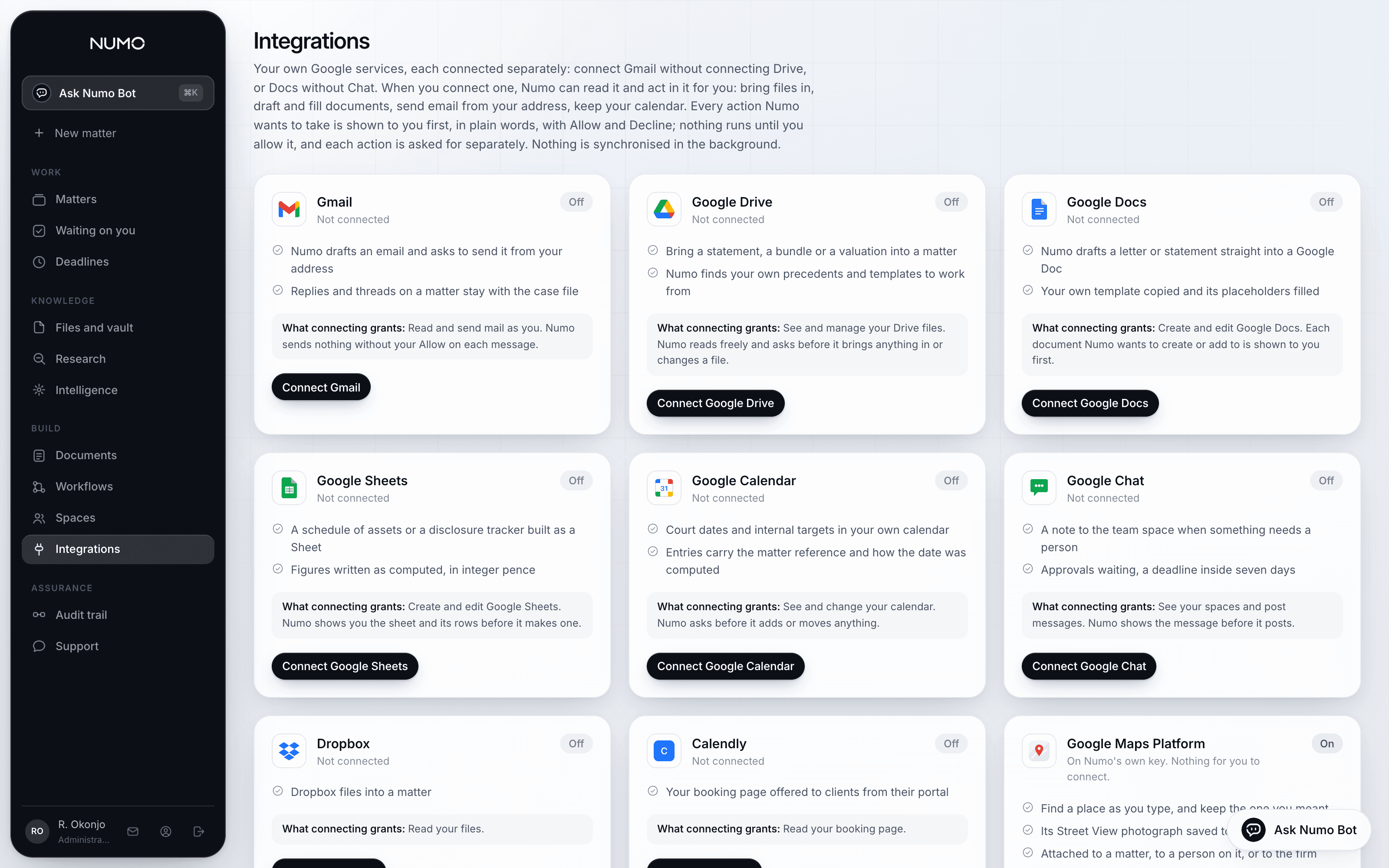
- One consent screen per service
- Not one screen that asks for everything Google has. You connect what you want used and nothing else, and you can disconnect any of them on their own.
- Held for a person, not the firm
- Your mailbox is yours. A colleague connecting their own Gmail does not give you their inbox, and disconnecting yours takes nothing else away.
- Every action asked for separately
- Connected is not the same as authorised. Each send, each document created, each calendar entry is a card showing exactly what would happen, and it waits for you.
What each one does
Bring work in, put work out, without leaving the file
The point of a connection is that a document does not have to travel through somebody's laptop to get where it is going.
- Gmail
- Send a letter, a disclosure request or a signing invitation from your own address, so it arrives from the firm. Drafted here, sent only when you allow it.
- Google Drive and Docs
- Bring a document in without downloading it. Draft a new one into a folder you choose, on your own template, and keep working on it where your firm already works.
- Google Sheets
- Build a schedule of assets as a sheet, with the figures computed in integer pence and their workings intact.
- Google Calendar
- Put a hearing, a direction or a filing date in the diary that the rest of the firm already reads.
- Google Maps Platform
- Find a place by typing an address, save the view, and attach it to a matter, a person, the files list or the vault.
- Calendly and Dropbox
- Bring appointments and documents in from the services a smaller practice actually uses, on the same terms as the rest.
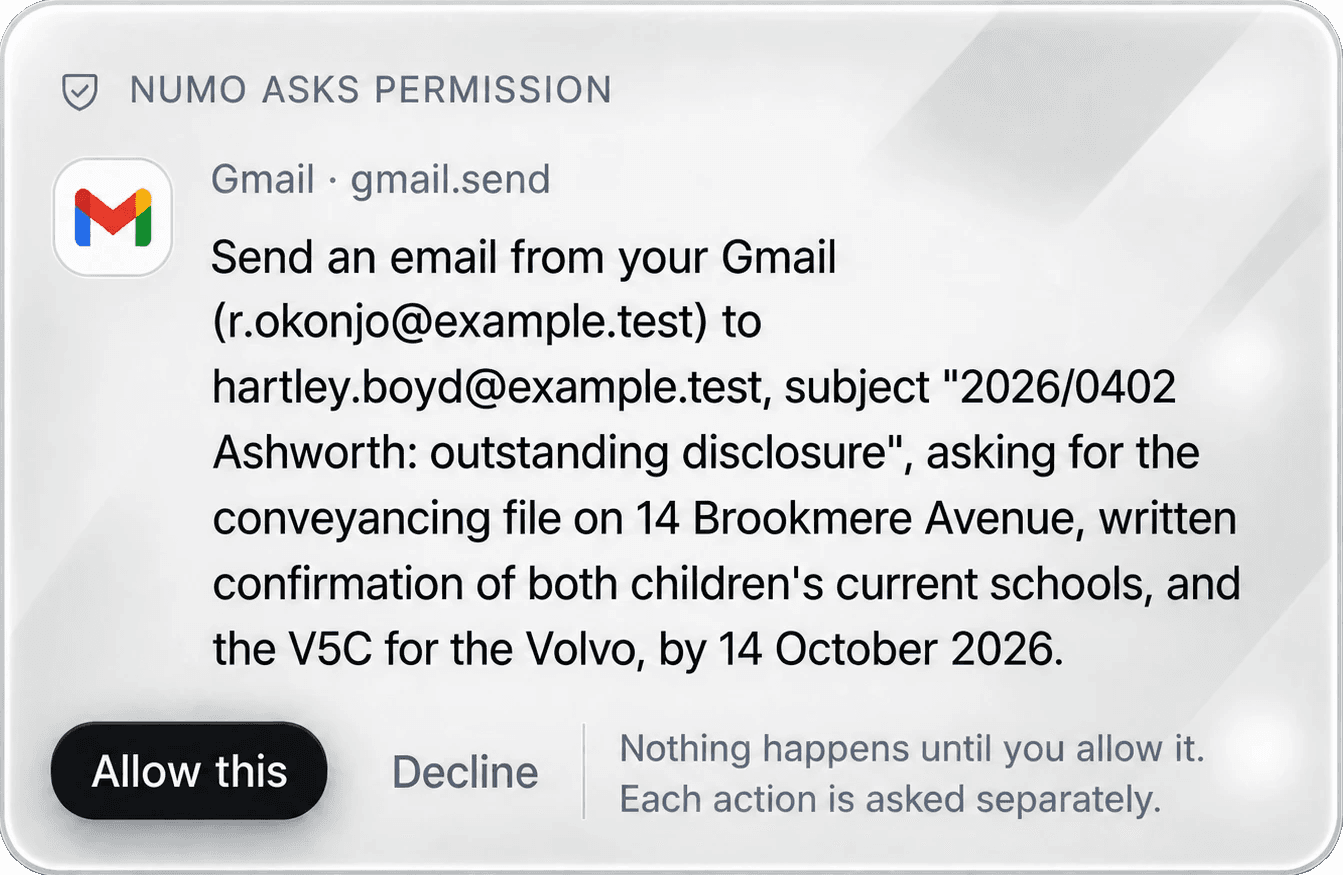
The permission card
What would happen, in which account, to whom
The card is not a category and not a checkbox you ticked a month ago. It shows the actual email, the actual folder, the actual recipient, at the moment it matters.
- Allow or Decline, per action
- Declining is recorded and the assistant carries on without it. It does not ask again in the same breath and it does not find another route to the same result.
- Both answers are written down
- Allowed and declined both land in the organisation's audit trail, in plain English, with who decided and when.
- Nothing is remembered as blanket consent
- There is no "always allow". A rule you want kept is a workflow you wrote, on a page you can read and switch off.
How the keys are held
No secret lives in the application
The applications your firm uses hold two public values and nothing else. Every key, every client secret and every token sits in the server functions' own secret store.
- Tokens are wrapped before they are stored
- A connection's tokens are encrypted with a key that only the connector function holds, so a database copy on its own opens nothing.
- Disconnect means disconnect
- Removing a connection destroys the stored tokens. The next action has to ask for consent again from the service itself.
- Scopes are named on the page
- Before you connect, the page lists what the connection will be able to do in that account, in the same words the product uses everywhere else.
The limits
What is not connected, and why
No automation marketplace
Numo does not expose your matters to a general automation service. Workflows act inside the product and inside accounts you connected yourself.
No assistant access for other AI tools
Your case file is not exposed to an outside chat assistant. The only thing that reads a matter is the product, as the person asking.
No court systems
There is no public interface to file with the court here. Those steps are recorded as steps a person takes, never claimed as automated.
Nothing runs in the background
A connection sits idle until an action is allowed. It is not reading your mailbox while you are not looking.
Asked before buying
- What can Numo see in our Google account?
- Only what the scopes you granted allow, and only when you allow an action that needs them. Nothing is read in the background: a connection sits idle until a card is allowed.
- Can a partner connect the firm's shared mailbox?
- Yes, and it is then held against their account like any other connection. What it does not do is become an account the whole firm can send from without asking.
- What happens to a connection when somebody leaves?
- Their connections leave with their account. Workflows that depended on them report honestly that they could not run rather than failing quietly.
See it on your own matters
Half an hour, your own file, and an honest answer about whether this fits how your firm already works.
Connected today
- GmailSend from your own address
- Google DriveBring a document in
- Google DocsDraft on your template
- Google SheetsBuild a schedule
 Google CalendarPut a hearing in the diary
 Google MapsFind and keep a place
- DropboxFiles into a matter
 CalendlyAppointments on the file